Scratch
- 3.8
- Rating
- 1.00M
- Installs
- Free
- Price

 Analysis by App-foxy
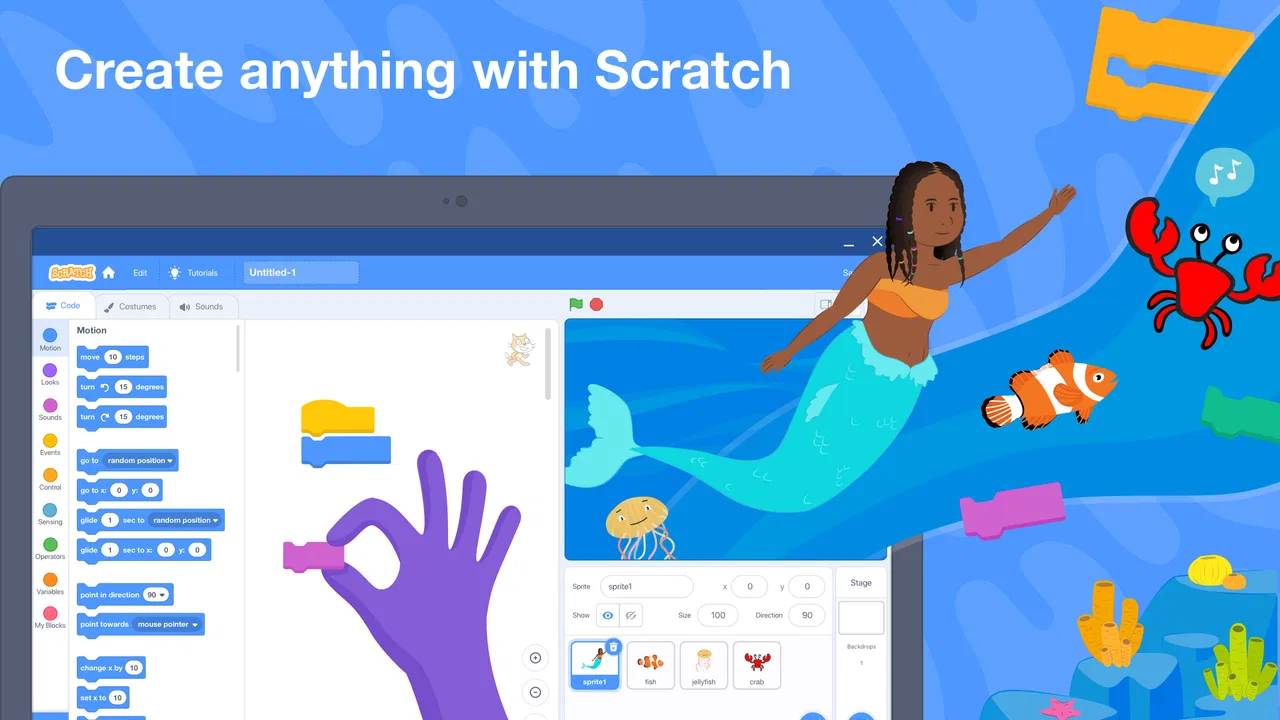
Scratch is the kind of education app I would recommend when someone wants to learn programming by making something visible right away. Instead of beginning with a page of abstract rules, I can build a short story, a small game, or an animation by arranging blocks that fit together. That makes the first steps feel more like creative play than a traditional lesson, while still introducing ideas such as sequencing, events, repetition, and conditions.
My experience with it is best summed up this way: Scratch is not trying to turn a phone into a professional development environment. It is trying to make programming understandable enough for beginners to experiment without being frightened by syntax. That focus is its greatest strength, but it also explains why more advanced learners may eventually want another tool.
How I decide whether Scratch is the right learning tool
The first question I would ask is not whether Scratch is powerful. It is whether the learner needs a gentle, visual starting point or a more conventional coding experience. For a child who has never programmed, a parent looking for a creative educational activity, or a teacher introducing computational thinking, the block-based approach removes a lot of unnecessary frustration. For someone already comfortable with text-based languages, it may feel deliberately limited.
You May Also Like

 AccuWeather: Weather Radar
AccuWeather Review: A Quick, Clear Forecast for Everyday Decisions
For everyday plans, the best forecast is the one you can understand quickly. AccuWeather makes rain timing, radar, and local conditions easy to act on, with a few trade-offs.

 Hill Climb Racing
Why Hill Climb Racing Still Turns Crashes Into One More Run
A tiny car, a bumpy hill and one more upgrade: Hill Climb Racing keeps resurfacing because its simple chaos makes every near-miss feel personal.

 AliExpress - Shopping App
AliExpress Makes Global Shopping Feel Personal, but Shoppers Bear the Risk
AliExpress turns a global marketplace into a pocket-sized discovery engine. Its reach is useful, its shopping loop compelling, and its trade-offs easy to miss.

 Lords Mobile: Kingdom Wars
Lords Mobile Is a Kingdom-Building Routine, Not a Quick Match
A case-by-case verdict on the building, battles, device demands, and social commitments that make Lords Mobile rewarding for some players and exhausting for others.

 PDF Scanner app - TapScanner
TapScanner Makes Paperwork Easier to Capture, Check, and Share
TapScanner makes scanning with a phone feel less like a rescue operation and more like a dependable step in getting work done. Its capture tools are useful, though not flawless.

 Block Blast!
Block Blast! Shows How Much a Puzzle Game Can Leave Out
A quiet grid game shows why puzzle players increasingly value instant clarity, repeatable skill and low-pressure play—and where the genre still needs to catch up.
More From Our News Desk
View All News


Age also matters. The app is rated Everyone, and I can see why: the central activity is making interactive projects rather than consuming a complicated game. Still, younger users may need an adult nearby at first, especially when they are learning how events connect different parts of a project. The interface is approachable, but understanding why a character does not respond often requires patience and a willingness to troubleshoot.
I would also consider the desired outcome. If the goal is to understand the logic behind a program, Scratch is a strong fit. If the goal is to build a polished commercial game, write a mobile app, or learn the exact syntax used in professional programming, it is better viewed as preparation rather than the final destination. It teaches habits of thought, not a complete professional workflow.
The app comes from the Scratch Foundation and is free to use. That makes the decision easier for families and classrooms, because experimenting does not require committing to a subscription or buying a course before discovering whether the learner enjoys coding. Its broad reach is reflected in more than a million installs, while its average rating sits at 3.8 from roughly sixteen thousand ratings. I would treat those numbers as a sign of a large, active audience rather than as a substitute for deciding whether its learning style suits you.
What the first session feels like
When I open Scratch, the most useful early activity is not reading every menu. I prefer choosing a simple character and trying to make it react to an event. That immediately demonstrates the basic relationship between an instruction and an outcome. Adding movement, a sound, or a change in appearance gives the learner a quick result, which is important because beginners need evidence that their ideas can become working projects.
The block system also makes mistakes easier to inspect. A badly written line of text can stop a beginner before they know what went wrong. With blocks, many combinations are visually constrained, so the learner spends more time thinking about logic and less time correcting punctuation. That does not remove the need for debugging, but it changes debugging from deciphering symbols into following the flow of actions.
I recommend starting with a project small enough to finish in one sitting. A character that moves when tapped, a short conversation between two figures, or a simple animation is more useful than an ambitious game that becomes confusing halfway through. Finishing something creates a clear moment to ask what could be improved, and that reflection is where the educational value becomes stronger.
Where the visual approach wins
Scratch is particularly good at making programming concepts tangible. A loop is not merely a word to memorize; it becomes a block that repeats an action. An event is connected to a visible trigger. A condition can change what happens on screen. I find this easier to explain to a beginner than asking them to imagine invisible program flow from a page of code.
Another advantage is the connection between coding and personal expression. Learners are not solving disconnected exercises only to receive a correct answer. They can make a story with a mood, an animation with timing, or a game with their own rules. That creative ownership matters. A child who is uninterested in conventional worksheets may stay focused when the assignment is to make a character tell a joke or react to the player.
The visual design also supports collaborative discussion. Two learners can look at the same blocks and talk through what each part does. A teacher can ask why a character moved too far, why an animation stopped, or how an event should be changed. Those conversations are often more productive than simply checking whether a final result looks right.
One less obvious strength is that Scratch encourages learners to separate a project into behaviors. Instead of treating a game as one enormous task, I can think about what each character should do, what starts the action, and what should happen afterward. That is an early form of modular thinking. Even when the project remains simple, the learner begins to understand that different pieces can work together without being identical.
Practical workflows that make learning smoother
For a family using the app at home, I would create a short routine: choose one behavior, build it, test it, and then deliberately break it. For example, after making a character move, change the order of the blocks and ask why the result changed. This turns mistakes into experiments. It also prevents the learner from treating the app as a place where blocks are dragged randomly until something happens.
A useful classroom workflow is to give every project a clear constraint. Ask learners to create a scene with two characters, one event, one repeated action, and one decision. The constraint is small enough to understand but broad enough to allow different solutions. Comparing the finished projects then reveals that programming can solve the same problem in several ways.
I also recommend naming or organizing project elements carefully as the work grows. A beginner may ignore this during a tiny animation, but unclear names become a real source of confusion once several characters and behaviors are involved. Spending a moment identifying what each part controls makes later debugging less frustrating. This is a practical habit that transfers well to other programming environments.
Another strong technique is to build the visual result before trying to add complexity. First make the character appear, then make it respond, then add a rule, and only afterward add decoration. Learners often spend time choosing visual details before the underlying behavior works. Scratch is more rewarding when the functional core is tested early.
Sharing changes the learning experience
Scratch is designed around creating projects that can be shared with people around the world. I see that as more than a publishing feature. Knowing that another person may watch or interact with a project gives learners a reason to make instructions clearer and behavior more predictable. It encourages them to test what happens when someone else uses the project rather than assuming the creator already knows how it works.
There is also a useful learning loop in studying other people’s creations. A beginner can observe how a project is structured, identify a technique they do not understand, and then try a smaller version of it. That is more constructive than copying a large project without knowing why it works. I would encourage learners to recreate one behavior at a time and explain each block in their own words.
Sharing is not equally important for everyone, though. A child who prefers private experimentation may not care about publishing, and a parent may want to supervise how a young learner interacts with a community. In that situation, the creative editor still has value on its own. I would introduce sharing as an optional next step, not as the reason to use the app.
When another option may be better
Scratch is a visual programming environment, so it should be compared with alternatives by learning purpose rather than by a simple feature checklist. If someone wants the least intimidating introduction to programming concepts, I would choose Scratch before a text editor. If the learner wants to practice the exact punctuation and structure of a language used in later study, a text-based course may be a better next step.
Text coding offers a different kind of discipline. It forces the learner to type names, symbols, and structure accurately, which can be frustrating but also prepares them for environments where blocks are unavailable. Scratch can teach the logic behind a loop or condition, but it does not replace the experience of writing those ideas in a conventional language. I would move to text coding when the learner starts asking how the same project could run outside the Scratch environment.
Game-focused tools may suit a learner who is mainly interested in building larger interactive worlds. Those tools can offer more specialized systems, but they often bring more menus, concepts, and technical decisions. For a first encounter with programming, that extra power can distract from the basic question of how instructions produce behavior. Scratch wins when clarity matters more than scale.
Video lessons and coding courses may be preferable for adults who want a structured sequence with explicit explanations and exercises. Scratch is more exploratory. I can learn by trying, but I also need to create my own structure. A learner who becomes stuck without step-by-step guidance may benefit from using Scratch alongside a teacher, workbook, or planned lesson rather than relying on discovery alone.
There is a trade-off in the app’s simplicity. Because the blocks prevent many syntax errors, a learner can gain confidence quickly, but they may not immediately develop the habits needed for a text editor. I would not describe that as a flaw; it is a choice. Scratch delays some technical friction so that the learner can focus on ideas first. The important thing is to recognize when the learner is ready for a bridge to another environment.
A realistic everyday use case
Imagine a child who has to make a short digital presentation for school. Instead of preparing only static slides, they could use Scratch to create a small interactive scene: a character introduces the topic, another character asks a question, and the viewer triggers the next part. The child would need to plan the order of events, decide what happens after each action, and test whether the presentation makes sense to someone who did not build it.
That scenario shows where the app is more useful than a passive educational video. The learner is practicing communication, planning, and revision at the same time as basic programming. If the character speaks too soon or the scene becomes difficult to follow, the problem is visible and can be fixed. The project becomes a concrete reason to think about logic rather than an isolated coding drill.
For a parent, a good evening activity would be to ask the child to recreate a familiar routine, such as a character entering a room, greeting someone, and changing direction after a signal. The parent does not need to know how to code in advance. Asking “what should happen first?” and “what event starts the next action?” is enough to encourage structured thinking. I find this kind of conversation more valuable than taking over the controls.
Friction I noticed before recommending it
The freedom to create can also be overwhelming. A beginner may open the editor and see many possible directions without knowing which project is manageable. That is why I would avoid presenting Scratch as completely self-explanatory. It is friendly, but friendly does not mean every learner will understand the best first step without guidance.
Projects can also become difficult to manage when the learner keeps adding characters, events, sounds, and rules without testing each change. The visual blocks make individual instructions readable, yet a large collection of blocks can still be confusing. The solution is not to abandon the project immediately. Save a working version, add one change at a time, and test after each addition.
The app is less suitable for someone who wants a fast route to professional programming. It does not provide the same experience as working with files, libraries, development tools, or a text-based language. A learner who already knows those basics may find the environment too introductory. In that case, Scratch could still be useful for teaching a younger sibling or prototyping an idea, but it would not be my main recommendation.
There is also a motivational limitation: not every learner enjoys making stories or games. Some people prefer puzzles with fixed answers, while others want to build practical utilities. Scratch is strongest when the learner likes visual results and open-ended projects. If the intended activity is spreadsheet automation, website development, or serious software engineering, another category of tool will fit better.
What happens when you move on
The cost of switching from Scratch to another programming environment is relatively manageable if the learner understands the underlying ideas rather than memorizing block locations. Before moving on, I would ask the learner to describe a project in plain language: what starts it, what repeats, what decisions are made, and how different parts communicate. Those explanations are more transferable than the appearance of the blocks.
A practical transition exercise is to rebuild one small project in a text-based setting, without trying to reproduce every visual detail. The learner can focus on translating an event, a loop, and a condition into a different form. This reveals which concepts are understood and which were only being assembled by trial and error. It also makes the next tool feel like a new way to express familiar logic rather than a completely unrelated subject.
I would not rush that transition simply because the learner has completed one project. Staying with Scratch is worthwhile while the learner is still discovering new ideas, improving project structure, or becoming more confident with debugging. Move on when the limitations become questions: how to work with more complex data, how to create something outside the editor, or how to control a larger program. Curiosity is a better signal than an arbitrary timetable.
My recommendation for different learners
I recommend Scratch most strongly to beginners who learn by making things. It is especially appealing for children, families, and educators who want programming to feel creative and approachable. The free price removes a major barrier, and the Everyone age rating makes it easy to consider for a broad audience. The developer’s focus and the app’s education category also match its role: this is a learning tool built around experimentation, not a professional production suite.
I would recommend it with guidance for very young learners or anyone who becomes lost when faced with open-ended choices. A short challenge, a partner, or a teacher can turn the editor from an intimidating blank space into a manageable playground. I would also encourage regular testing and small projects, because those habits prevent the most common beginner frustration.
I would skip it as a primary choice if the learner already wants to write conventional code, build a serious mobile application, or follow a tightly sequenced technical curriculum. In those cases, a text-based learning platform or a more specialized development tool may provide a clearer path. Scratch can still explain programming logic, but it should not be mistaken for the complete journey.
For me, the final decision comes down to the learner’s first need. If that need is confidence, creative control, and an understandable introduction to programming, Scratch is an excellent place to begin. If the need is professional depth, exact language practice, or a structured route toward software development, I would use it only as a starting point or choose another tool sooner.
Its best result is not a complicated project. It is the moment a learner stops seeing code as mysterious and starts asking how an idea can be broken into steps. That is a meaningful outcome for a free education app, and it is why I would gladly suggest it to a friend who wants to explore programming without turning the first lesson into a wall of technical vocabulary.
FAQs for Scratch
01What is Scratch, and what can you create with it?
Scratch is a beginner-friendly programming platform designed mainly for children, students, teachers, and anyone learning the basics of coding. Instead of typing complex code, you connect colorful blocks to create interactive stories, animations, games, quizzes, and simple simulations. It is also a creative community where users can share projects, explore other people’s work, and remix projects to understand how they were made.
02Is Scratch free to download and use?
Yes, Scratch is free to use and does not require a paid subscription for its main programming tools. Depending on the version you choose, you can use it through a web browser or install the official Scratch app for supported devices. Most creative features are available without payment, although internet access may be needed for sharing projects, browsing the community, or accessing online content.
03Does Scratch work offline?
Scratch can be used offline when you install the official desktop application or use a version that supports offline project creation. This allows you to build and edit projects without a constant internet connection. However, offline use has limitations: you may not be able to browse shared projects, access community features, or upload your work until the device reconnects to the internet.
04Is Scratch safe for children?
Scratch is designed with young users in mind and includes community guidelines, reporting tools, moderation, and privacy-focused account options. Parents and teachers should still supervise younger children, especially when they interact with public projects or comments. Users should avoid sharing personal information, use a safe username, and review privacy settings before participating in the online Scratch community.
05What devices and skills are required to use Scratch?
Scratch is available through modern web browsers and has official applications for selected desktop and mobile platforms, depending on the version and device. It does not require advanced hardware or previous programming experience. A mouse or touchscreen is helpful for arranging blocks, while older devices may experience slower performance when running projects with many sounds, animations, or visual effects.
Pros
- Simple block-based coding makes programming accessible to beginners.
- Creative projects can include games
- animations
- stories
- and interactive art.
- Large community offers tutorials
- inspiration
- and remixable public projects.
- Projects can be shared online and viewed across supported devices.
- Encourages problem-solving
- logical thinking
- and creative experimentation.
Cons
- Some advanced features require understanding variables
- events
- and programming logic.
- The online community may expose children to unsuitable shared content.
- Creating complex projects can become difficult on smaller phone screens.
- Internet access may be needed for sharing and browsing community projects.
- Performance can slow down with large projects or many animated elements.

Scratch
Gallery